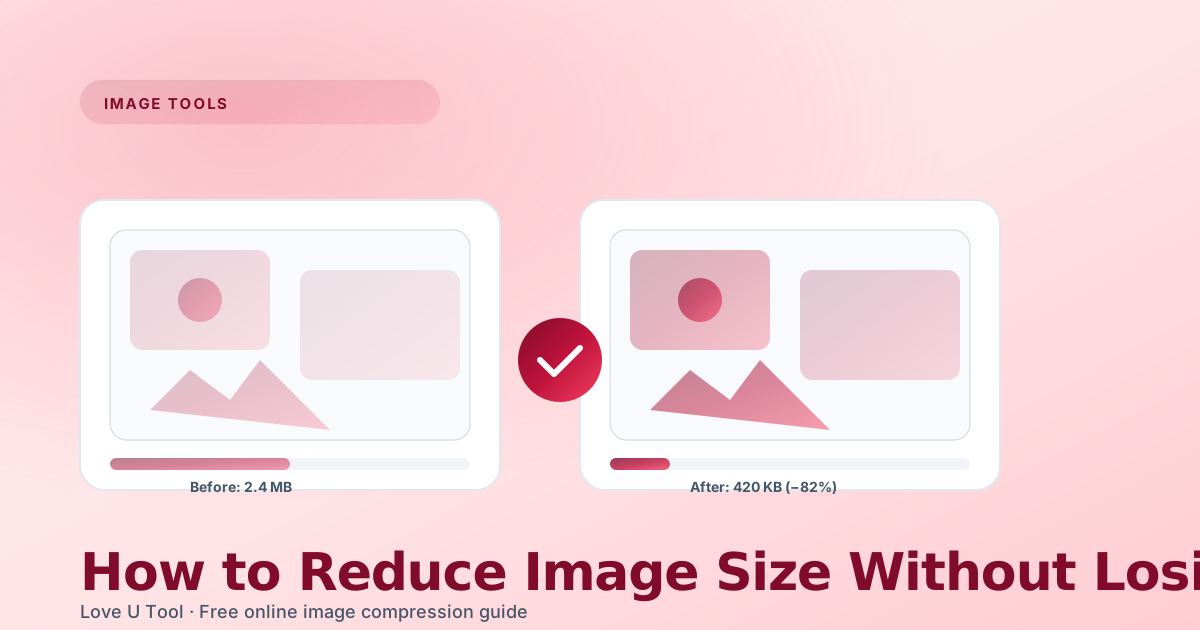
Image files can get surprisingly large — especially when you pull them straight from a camera, a screenshot tool, or a design app. Sending 5 MB photos by email, uploading them to a form, or embedding them on a website is painful for everyone: slower pages, bigger bills, and annoyed visitors. The good news is you can shrink images by 60–90 % while keeping them totally usable. In this guide we show you exactly how.
Why image size matters in 2026
Every extra kilobyte costs you something. On a slow mobile connection a 3 MB hero image takes multiple seconds to paint — visitors bounce, search engines rank you lower, and your hosting bill grows. For blogs, portfolios, and e-commerce sites the sweet spot for a typical content image is usually between 80 KB and 300 KB, not megabytes.
Quick wins before you compress
- Resize first — there is no point uploading a 6000 px photo to a blog that displays at 1200 px wide.
- Pick the right format: photographs go JPG, flat graphics go PNG, and everything modern can try WebP.
- Strip metadata — EXIF camera data is invisible and heavy; compression tools do it automatically.
- Work on a copy — never overwrite your original high-resolution master file.
Compressing images online in 4 steps
- Open the Image Compressor from the Love U Tool homepage.
- Drop your JPG, PNG or WebP file — it never leaves your browser.
- Slide the quality control from 85 % (safe) down to 60 % (aggressive) and watch the preview.
- Download the optimized result with one click.
“A 10 % quality drop is almost never visible on a website, but it can easily halve the file size.”
The quality slider — picking a number
For photos on the web we default to 80 % as a starting point. If the image is a hero banner with lots of gradients, bump it to 85 %. If it is a screenshot or an internal-team document, you can often go as low as 65 % with no complaints. Compare the preview side-by-side and trust your eyes.
Converting to another format
Compression is only half the story. Switching format often helps even more. Portraits and travel photos as WebP typically save another 25 % over the same visual quality as JPG. For the inverse conversion — PNG → JPG with a solid white background for transparency — see our JPG to PNG and PNG to JPG pages.
Need to batch-resize a folder?
A full-width blog photo on a 1200 px content column looks identical whether the source is 1200 px or 4000 px. Always downscale before you compress. Combine the Image Resizer with the Image Compressor on Love U Tool for the cleanest workflow.